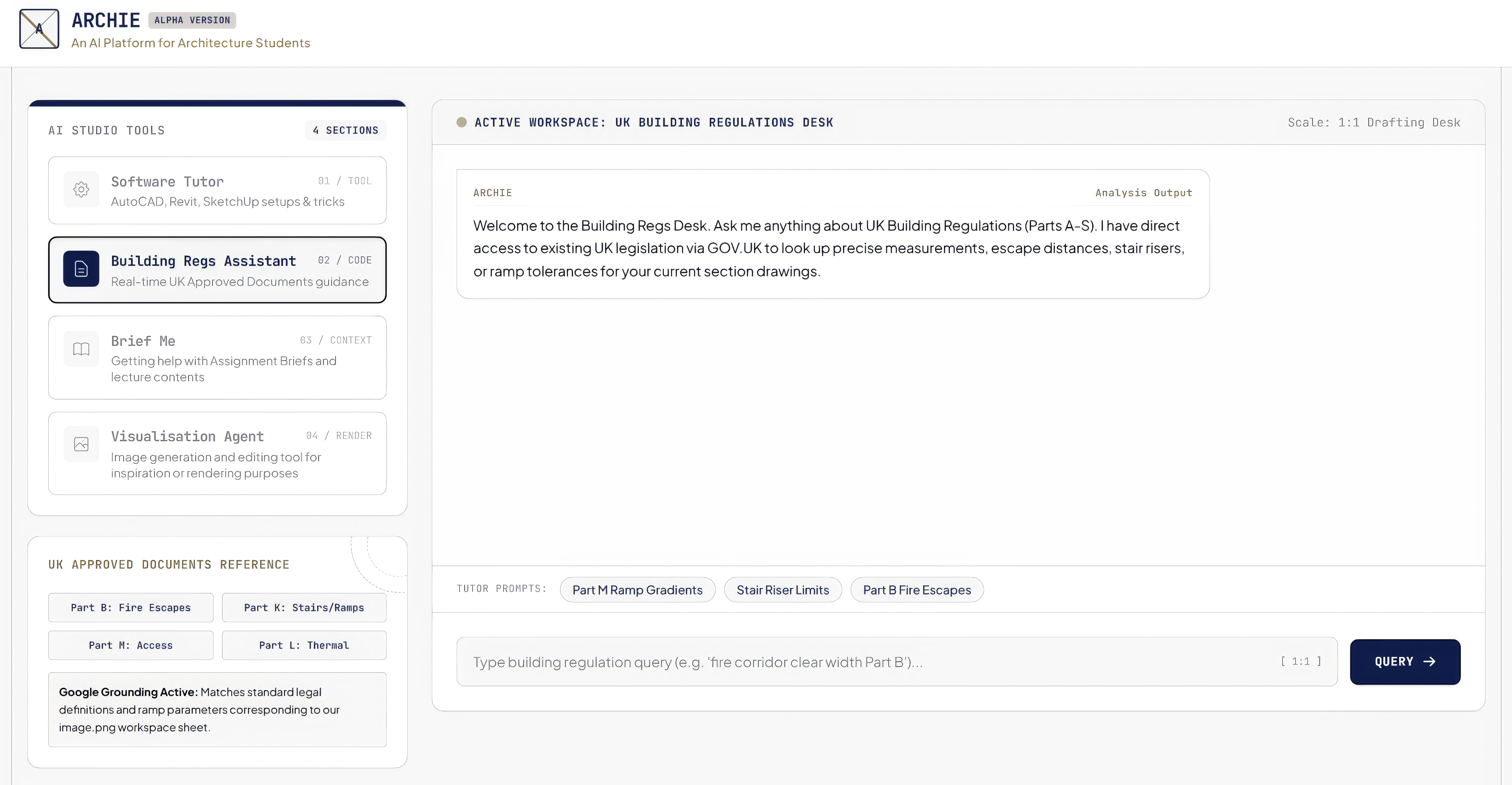
An AI platform for architecture students: four specialised workspaces on a privately hosted server
A student working on a studio project holds several kinds of question at once. Some are technical, such as how to set up a sheet in Revit. Some are regulatory, such as the permitted gradient of a ramp under Part M. Some are academic, such as what a brief is actually asking for. Some are visual, such as how a proposed material might read in an image.
These are different questions. They require different sources, different forms of reasoning, and different degrees of caution. In practice, students ask all of them in the same place. They open a general-purpose chatbot and type.
The result is predictable. The tool answers every question in the same confident register. A regulatory query returns a plausible number with no legal basis. A software query returns a workflow for a version that does not exist. The student cannot tell which answers are grounded and which are invented, because the interface gives no signal either way.
ARCHIE was built to separate these questions again. It is an online suite of specialised tools, organised into dedicated workspaces. Each workspace is configured for one class of task:
A second concern shaped the platform as much as the first. Commercial AI services require student work to leave the institution. Design drawings, unpublished briefs, and assessment material pass to a third party under terms the student has not negotiated. ARCHIE therefore runs on a server I own and administer. Data is stored locally. It cannot be copied, exchanged, edited, or otherwise manipulated by any third party.
The platform is deliberately modest in scope. It does not attempt to replace the tutorial. It attempts to remove from the tutorial the questions that never needed a tutor.
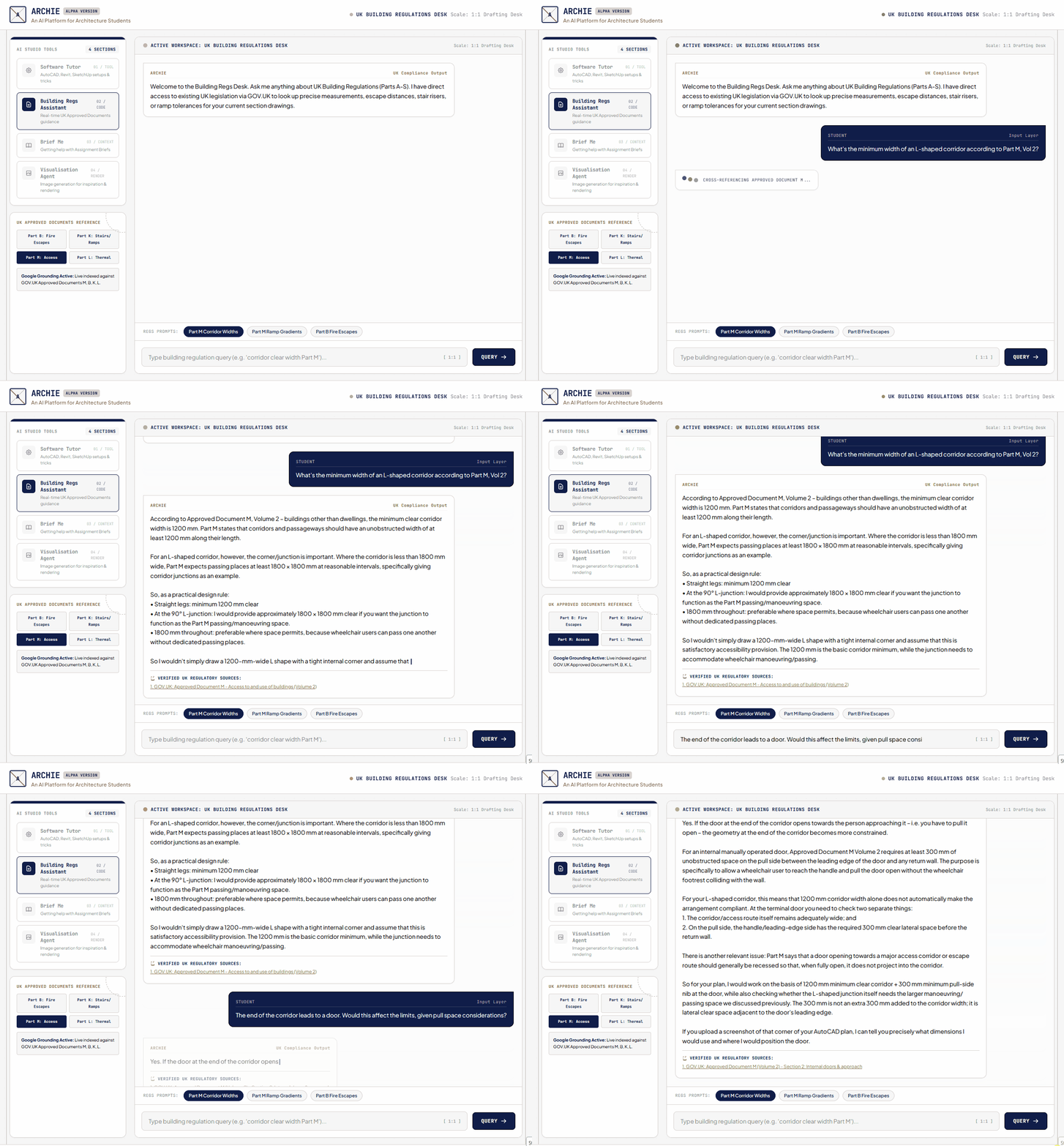
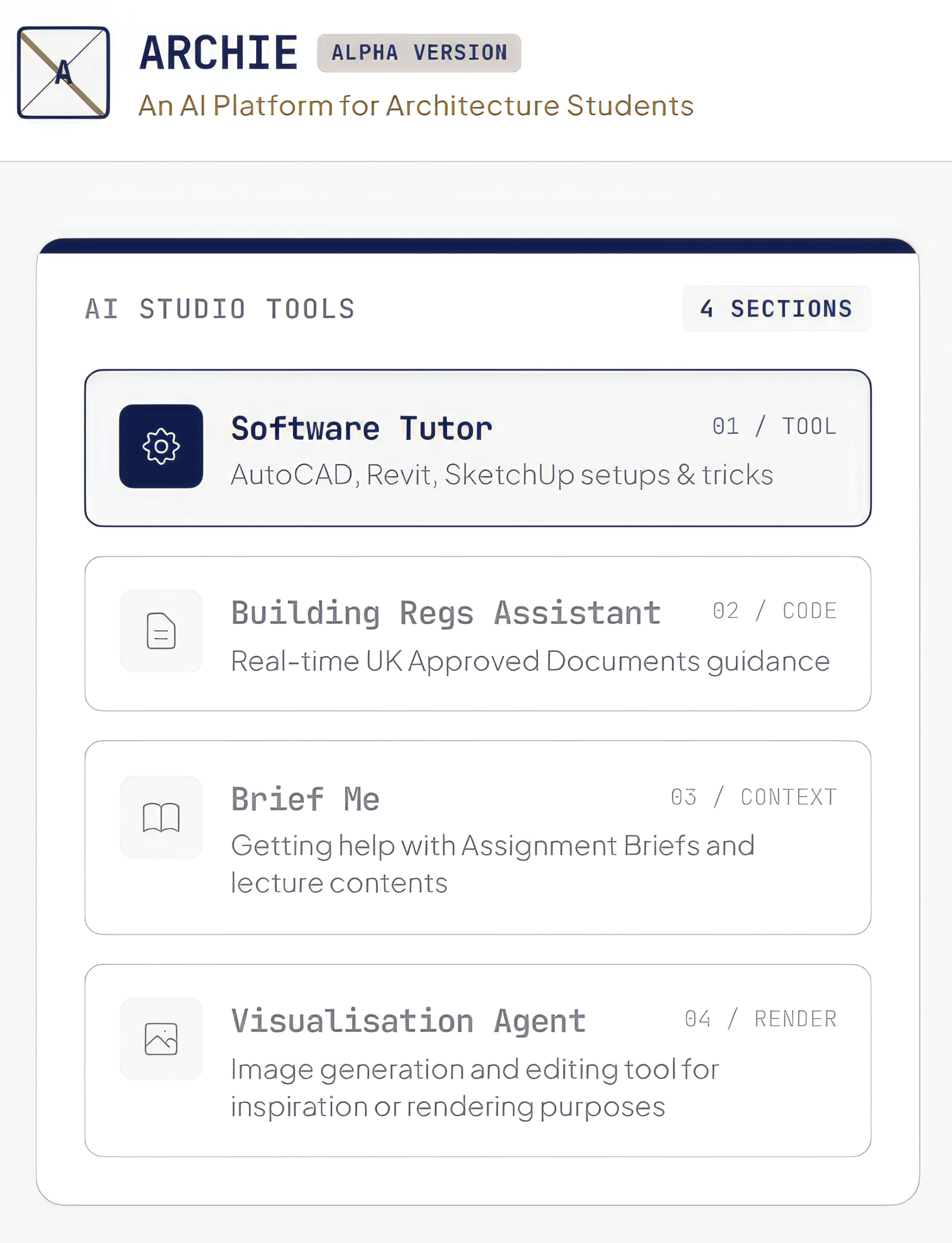
ARCHIE presents four workspaces from a single interface. The student selects a workspace and the system reconfigures around that task. The web (Fig 1) and mobile (Fig 2) versions carry the same tools, so that studio work and site work draw on the same support.
Guidance on AutoCAD, Revit, and SketchUp. The workspace covers setup, workflow, and technique. It answers the specific procedural questions that consume disproportionate studio time and rarely produce learning when answered by a tutor.
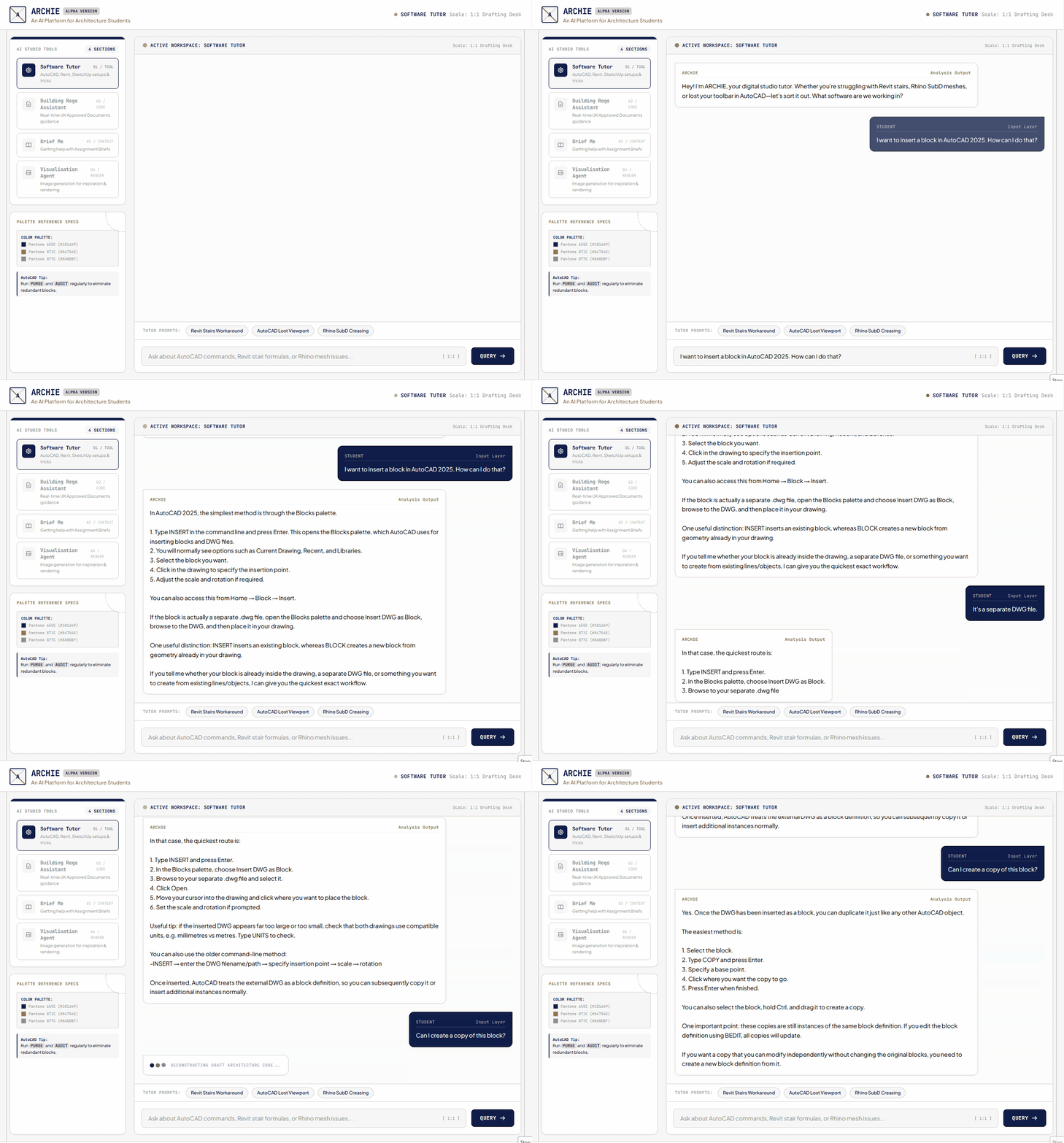
Real-time guidance on the UK Approved Documents, Parts A to S. The workspace is grounded in published legislation rather than model memory. It returns measurements, escape distances, riser dimensions, and ramp tolerances against a retrievable source. A reference panel gives direct access to the parts students consult most often, namely B (Fire Safety), K (Protection from Falling), L (Conservation of Fuel & Power), and M (Access to and Use of Buildings).
Support with assignment briefs and lecture content. The workspace works from module documentation. Students use it to interrogate what a brief requires, and to revisit taught material at the point of need rather than at the point of delivery.
Image generation and editing, for inspiration and for rendering. The workspace supports visual exploration during early design development. Its outputs are explicitly positioned as exploratory material, not as finished proposals.
The hosting decision is pedagogic, not merely technical.
Student design work is unpublished intellectual property. Assignment briefs are institutional material. Neither should be transferred to a commercial provider as a condition of receiving help with a drawing.
ARCHIE therefore runs on a tutor-owned local server. Student interactions remain within that server. There is no third-party route to copy, exchange, edit, or otherwise manipulate the data held there. The arrangement removes the privacy objection that otherwise attaches to AI use in studio teaching, and it removes the risk of data loss through a change in a provider's terms.
The arrangement also carries an argument. Students who use ARCHIE encounter an AI system whose ownership and data handling are visible and accountable. That is itself a lesson about the tools they will meet in practice.
ARCHIE was introduced into Level 5 Design Studio in Spring 2026 as a support layer, not as an assessed component. Four progressive stages structured its integration:
The design draws on constructivism and connectivism, and on a straightforward reading of cognitive load:
ARCHIE has completed one deployment, in Spring 2026, with 25 active student users across Level 5 Design Studio.
The principal finding concerns the tutorial: tutorial conversations shifted away from technical troubleshooting and towards design reasoning. Students arrived having resolved procedural questions themselves, and used the tutorial for the architectural argument rather than the software. This was the outcome the platform was designed to produce, and it is the outcome most worth testing further.
Student evaluation reported high satisfaction with the platform across accessibility, clarity, and speed of guidance.
The platform was presented at the UCAS Creative Career Showcase in November 2025, where it was used to demonstrate the department's approach to AI in architectural education to prospective applicants and their advisers.
The evidence base is deliberately stated at its true strength: one module, one cohort, one semester. The finding is encouraging rather than established. Development continues, and further deployments will determine whether the effect holds across cohorts and levels.
ARCHIE rests on a single argument: removing technical bottleneck questions from the tutorial frees educators and students to focus on spatial judgement, design intent, and propositional defence. Five claims follow from the work.
Sustained Willingness to Try New Ideas that Improve Outcomes
The platform was not adopted from an off-the-shelf catalogue. It was identified as a pedagogic need, designed, built, deployed, and evaluated. That sequence has been repeated across my teaching, and ARCHIE is its most recent instance rather than an isolated experiment.
Continuous Pedagogical Development
The platform is at alpha stage and is openly described as such. It is under active revision in response to a first deployment. Teaching development is treated here as an iterative practice with a version history, not as a completed reform.
Scholarship of Teaching and Learning
A pedagogic problem was defined, an intervention was designed against it, and the intervention was evaluated at module scale with a stated and testable finding. The limits of that evidence are declared. This is educational enquiry conducted on my own teaching, informing subsequent practice.
Technical Capability Applied to Educational Ends
I designed, built, and now maintain the platform alone, including its local server infrastructure. The privacy architecture was a pedagogic decision executed as a technical one. Few AI interventions in architectural education are authored by the educator who deploys them.
Considered Position on Emerging Technology
ARCHIE separates grounded retrieval from open generation, and teaches students to recognise the difference. It is a demonstration that AI can be introduced into a studio without ceding student data, student judgement, or the tutorial itself.